
Introduction.
In today’s digital era, AI is redefining the way students when it comes to academic writing. In this article, We talk about AI tools that assist with developing ideas, conducting in-depth research, summarizing material, and improving grammar. For instance, you can ask an AI to condense a lengthy article or suggest improvements to the tone of a paragraph.
Using AI for Research projects
AI tools can be really helpful in research and in coming up with new ideas. For example, when I was a student, I used a chatbot to ask for a simple overview of a topic that I was given, and it’s truly helped me during my exam days to find in-depth research, even suggesting some more ideas I didn’t think about before. ChatGPT or Google Bard can quickly turn my difficult topic or lectures into short, clear, and understandable content, as well as make notes, so you save time and understand the main points faster. The best part is that you don’t always have to rely on just one source — you can mix these AI suggestions with your own research from books, journals, or class notes. This way, your work feels more original, natural, and easier to write.
Create an Idea: In the beginning, Many students and I were also confused about how to start the initial point of an assignment. Simply go to an AI tool and ask it about your topic, a suitable beginning theme, and some deep, challenging questions.
Topic Exploration: Input a broad subject and ask the AI to break it down into subtopics, allowing you can dive deeper into the most interesting parts.
Quick Summaries: Paste a paragraph or an article and ask the tool to summarize it, making note-taking faster and highlighting the main points clearly. This enables you to digest information faster and identify key points. But remember, AI ideas are only to guide you on how to help you start. It’s your responsibility to always check the facts and use AI only to guide your research. Find out trusted sources to be sure your information is correct so you fully understand your topic.
Writing and Editing Support
Genuinely, this point is very helpful to you, you know, because I made a lot of mistakes at this point, but AI improves feature boosts me, gives me an idea of how to deliver your thoughts and ideas, and research AI is not just for research–it’s also great at improving your writing. Tools like Grammarly or editors that use AI can notice grammar errors, fix punctuation, and make sentences easier to understand, and Chatbots can also guide you to rewrite sentences or expand your vocabulary. For example, if you are unsure about wording, you can ask, How can I make this sentence more formal?
Within a few minutes, you will receive your answer.
Grammar and Spelling Mistakes: Use an AI checker tool to catch mistakes or trick wording, making your assignments clearer and easier to understand, which can help you feel more confident and even aim for higher marks.
Style and Tone: Another thing to note here Ask AI if your writing sounds too casual or too formal, and get tips to match the style you want this will make your work look sharper, more confident, and powerful.
These AI tools are like having a helpful teacher with you.They guide you to express your ideas more effectively, but make sure you maintain your own voice–don’t just copy the AI’s phrasing word for word.
ChatGPT for Essays.
Using ChatGPT for essays can be a game-changer if done the right way. You can start by asking ChatGPT to outline an essay on your topic. This gives you a skeleton structure with an introduction, main points, and a conclusion. Then, fill in each section with your own research and analysis.
For example, you might say: “Help me outline an essay on climate change and its economic impacts.”
The tool might suggest main sections like causes, effects, and case studies. You can then use those
suggestions as a guide for writing. ChatGPT can also review your draft: ask it, “How can I improve this paragraph?” to get feedback on clarity or grammar.
However, remember that ChatGPT’s content should not be copied directly. Think of it as a study partner that boosts your ideas. It’s fine to use ChatGPT to refine your thinking, but the final essay must be written in your own words and supported by real research.
Ethical and Responsible Use of AI
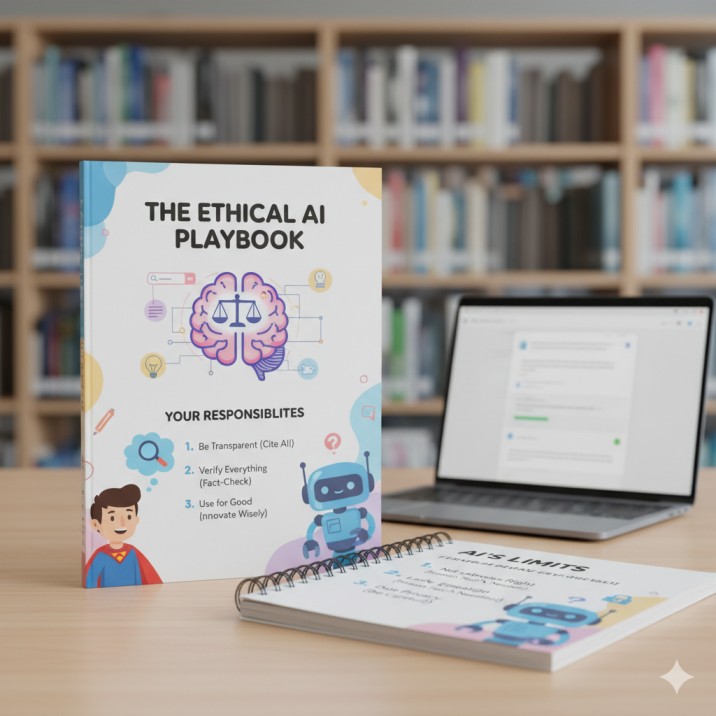
Understanding the ethical use of AI in a university is crucial. Use AI as a study aid, not a shortcut to skip learning. Keep these points in mind:
Always rephrase AI suggestions in your own words and add personal insights. Double-check facts and data from AI with reliable sources.
Follow your university’s guidelines and policies on using AI. Treat AI outputs like brainstorming notes, not a finished essay. Avoid sharing sensitive personal data with AI tools.
For example, many UK universities now offer guidance on ChatGPT and other student AI tools, emphasizing that these technologies should enhance learning while students maintain academic honesty. By following these practices, you ensure that AI helps you learn effectively rather than undermining your academic integrity.
List of Useful AI Tools for Students
To get started, here are a few popular AI tools that students find helpful:
ChatGPT (OpenAI): A versatile chatbot that can answer questions, help brainstorm ideas, and suggest outlines, making it great for generating initial thoughts and explanations.
Google Bard: Google’s AI assistant, useful for research ideas and creative writing prompts.
Bing Chat (Microsoft): An AI-powered chatbot integrated with Bing search. It provides answers and suggestions using current web sources, useful for research and idea generation.
Grammarly: AI-powered writing assistant that checks grammar, style, and tone in real time.
QuillBot: AI tool for paraphrasing and summarising text, helpful for rewording sentences or understanding complex passages.
Elicit: This AI tool is extremely helpful for a scientific research assistant that finds and summarises academic papers relevant to your topic. personally i used this Ai tool for my Human Anatomy Eaxm.
Perplexity AI: Search-focused AI that provides concise answers with cited sources.
ChatPDF: Upload a PDF document and get summaries or answers about its content.
Microsoft Editor / Copilot: Built into Word and other apps, provides grammar fixes and writing suggestions.
Scholarcy: Summarises research articles and extracts key points and references.
Notion AI: Built into Notion notes, it can help brainstorm, summarise notes, and generate content outlines.
Start by trying one or two of these tools to see how they fit into your workflow. Always remember that these AI resources are most effective when you stay in control of your writing process and use them to support your learning. Use AI with integrity, and it can become a powerful study partner in your academic journey.
Written by Mahnoor